
REVIEW · HANA
Maui: Road to Hana 4Hr GPS self-guided audio driving tour
Book on GetYourGuide →Operated by UCPlaces | Your personal tour guide app · Bookable on GetYourGuide
Road to Hana gets easier with audio GPS. This phone-led navigation + audio guide turns a long, twisty drive into something you can follow without constantly checking your map. I like that it’s flexible and self-guided, so you can pause for photos or keep rolling at your pace. One real drawback to plan for: your first download may happen roadside and can take around 10 minutes before you can start driving with the guide.
This tour is built around the classic Hana route rhythm: long stretches of scenery, pull-offs, and a steady stream of stories as you pass well-known stops like Jaws Beach, Twin Falls, Jungle Zipline, Hanawi Falls, and Honomanu Bay. The app claims 64 places of interest, but if you’re expecting a stop at every item, manage expectations. One user felt the practical number of true stopping points is closer to about 20, with the rest being info and break suggestions.
If you want a low-cost way to stay informed while driving your own car, this can work well—just don’t treat it like a plug-and-play offline experience.
In This Review
- Key things to know before you start
- How The UCPlaces App Guides You on the Road to Hana
- Getting Started Without a Meeting Point (Trigger Location Reality)
- The Main Stops You’ll Hear About: Jaws Beach to Honomanu Bay
- Beyond the Headliners: Viewpoints, Churches, and Break Notes
- What The 4-Hour Format Means on Maui Time
- Price and Value: Paying $20 for Guidance, Not Extras
- Audio-While-Driving Works Best With Bluetooth
- Direction Matters: Route Guidance Is One-Way to Hana
- Who This Self-Guided Hana Tour Suits Best
- Things to Watch For Before You Book
- Should You Book This Tour?
- FAQ
- Do I need a meeting point for this Road to Hana tour?
- How long is the tour, and is it valid after purchase?
- What is the price?
- What does the tour include?
- What is not included with the tour?
- Do I need earphones to listen?
- Can I start the tour anytime?
- When should I download the tour for the first time?
- Is the tour available in English?
- Can passengers in the same car listen to the audio?
- Is this tour only usable in one direction?
Key things to know before you start

- Live GPS map + audio instructions: You get turn-by-turn guidance in the app while you drive.
- Pause/resume anytime: Stop the tour and continue later when it fits your day.
- 64 places of interest on the route: The app guides you past major named stops and smaller notes.
- Bluetooth-friendly audio listening: The tour works best when your phone audio connects to your car.
- First-time download can be time-sensitive: You may need Wi‑Fi or strong cellular on the first activation.
- English-only guidance: Plan on English audio for the full experience.
How The UCPlaces App Guides You on the Road to Hana
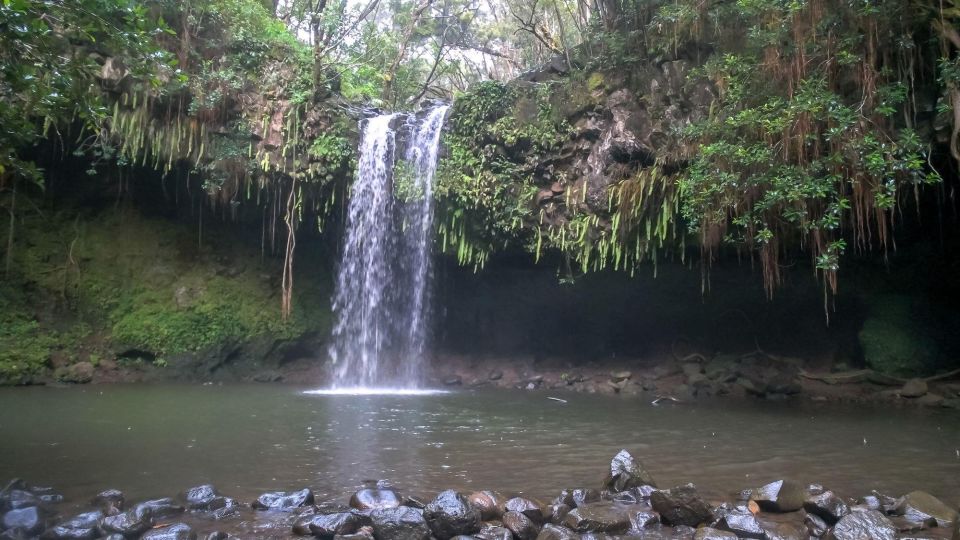
This is a self-guided driving tour through the Road to Hana, powered by the UCPlaces app. There’s no staffed meeting point, no guide waiting with a sign. You use your own vehicle and your phone does the heavy lifting—showing a dynamic navigation map and playing audio directions.
The experience is designed around listening while driving. UCPlaces recommends you connect your smartphone to your car audio using Bluetooth or a cable. That matters because the Road to Hana takes your attention. If audio is hard to hear, you’ll end up glancing at the screen more often than you want.
You also get flexibility that traditional tours rarely offer. You can do it all in one continuous run, or you can stop the tour and come back later. UCPlaces frames this as a digital experience you can fit around your timing and comfort level.
One more practical point: you should have a charged smartphone before you start. If your phone battery is low on Maui, that’s not a fun surprise.
Getting Started Without a Meeting Point (Trigger Location Reality)
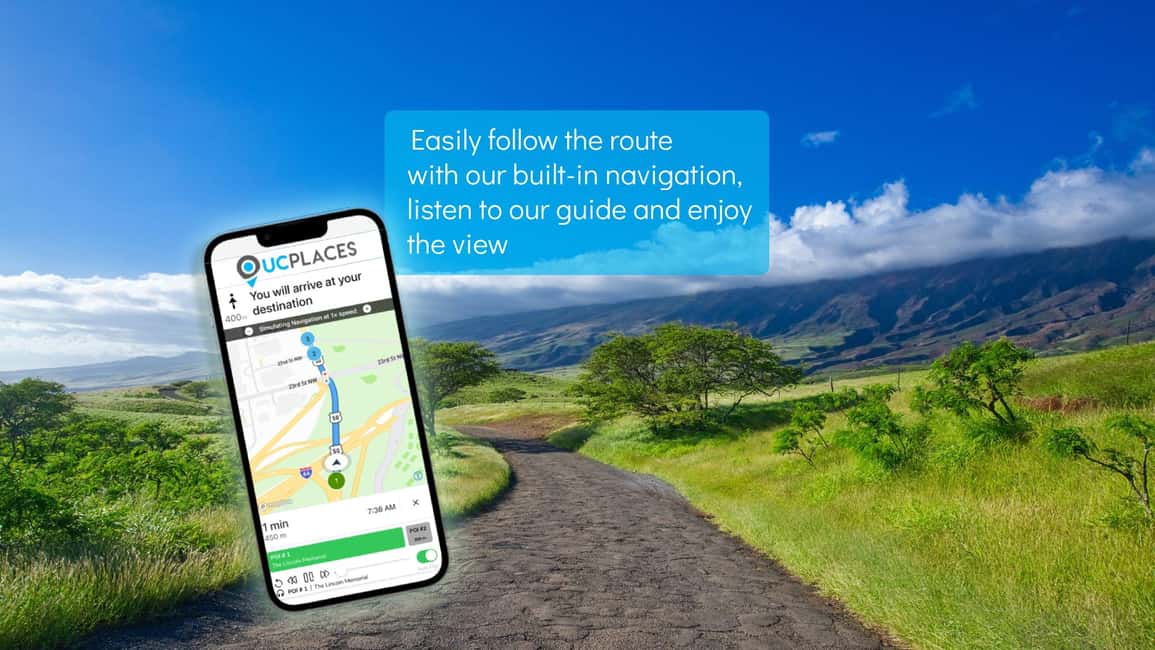
You don’t get a “meet here at 9:00” moment. Instead, your voucher includes a trigger location you need to pass by for the tour to start.
In real-world terms, that means you can start whenever you want—before you even depart—by downloading the tour first. Just understand how the flow works:
- You download the UCPlaces app and the Road to Hana audio guide on your phone.
- After purchase, you must start the tour from the tour screen by hitting Start Tour.
- For the first download, you should do it while connected to Wi‑Fi or good cellular data.
Here’s the catch. One experience highlight in the provided feedback is that after unlocking the tour and clicking Start Tour, the app then required a download at the roadside. That user estimated about 10 minutes of waiting with mobile data, and they couldn’t do anything else during that time.
That’s important because Road to Hana is a timing-and-attention kind of drive. If you’re the type who likes to keep moving immediately after arriving, build in a buffer. If possible, download early, then only use the app once you’re ready to drive.
The Main Stops You’ll Hear About: Jaws Beach to Honomanu Bay
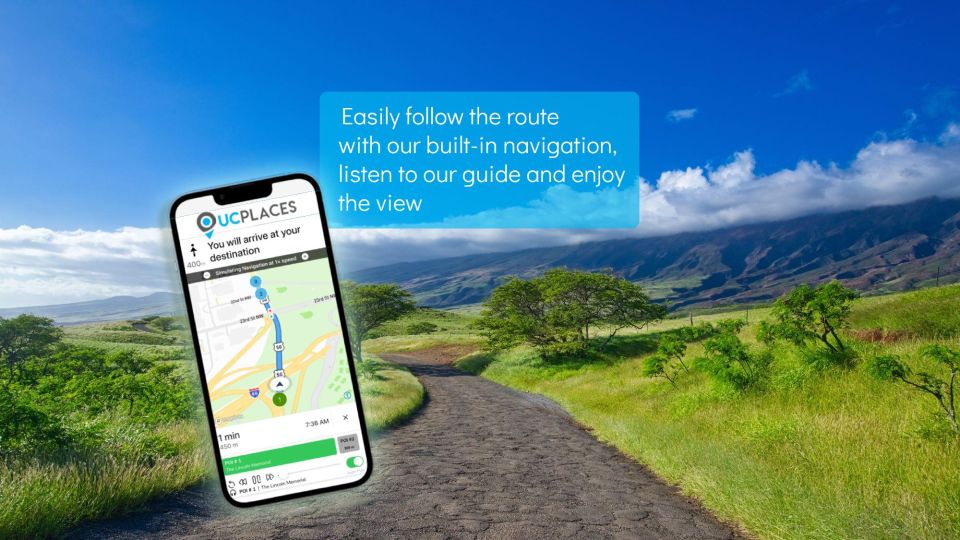
The route guidance is built around passing about 64 places of interest. Some are major, named stops. Some are smaller recommendations, break reminders, and viewpoint prompts.
From the information provided, these are the named highlights your audio will cover as you drive:
- Jaws beach
- Twin falls
- Jungle Zipline
- Hanawi Falls
- Honomanu Bay
- Viewpoints
- Historical churches
What I like about this setup is that it gives you a “what am I looking at?” layer. Without audio, you can drive the Road to Hana and still have a vague sense of what you’re seeing. With the guide, you get stories and context tied to what you’re passing.
It also helps you decide when to stop. UCPlaces explicitly says the app will tell you the best places to stop along the way. Even if you skip a few stops, having audio guidance around where to pull off can save you from drifting into “endless scenic parking” mode.
Beyond the Headliners: Viewpoints, Churches, and Break Notes

Even when the tour focuses on recognizable stops, the experience isn’t just “arrive, look, move on.” UCPlaces says the app includes interesting stories and practical guidance. That includes things like restroom break notes and additional route information.
One key caution from the feedback you provided: the total number of places of interest sounds high on paper. The same user felt those 64 items felt like closer to about 20 true moments where you’d reasonably stop, with the rest being informational points. That doesn’t mean the app is bad. It just means you should plan as if you’ll be selective.
I’d treat the guide like this:
- Use it to pick a few must-stop areas.
- Use it to learn while driving between stops.
- Use it to find viewpoints and landmarks worth the effort.
The presence of historical churches in the audio program is a nice balance. The Road to Hana is famous for nature, but you can miss the human side if you only chase waterfalls and bays. The guide’s inclusion of church stories helps you break up the scenery focus and adds variety.
What The 4-Hour Format Means on Maui Time
UCPlaces sells this as a 4-hour Road to Hana driving tour. In practice, your total time depends on two things:
1) how many audio-guided stops you actually choose to make
2) how long you linger at pull-offs and parking areas
A self-guided audio tour is still a “drive plus decide” experience. The app will encourage stops and provide navigation, but it won’t force a fixed schedule. That’s a win for freedom. It’s also why your day can stretch.
If you want to do it closer to the 4-hour claim, plan for fewer stop-and-walk moments. If you want a more relaxed pace—photo breaks, short walks, and longer looks—think of this as a “half-day to more” experience.
Also, the tour is recommended with audio connected to your car. That reduces screen time, which helps you keep your eyes on the road. But don’t assume you’ll never need to check the phone. Use the audio to get close, then step out with caution and take your time.
Price and Value: Paying $20 for Guidance, Not Extras
At $20 per person, this is one of the more budget-friendly ways to do the Road to Hana while still adding context. The value angle here isn’t the cost. It’s what you’re buying.
Your purchase includes:
- access to the Road to Hana digital driving tour on the UCPlaces app
- a dynamic navigation map and audio instructions
It does not include:
- a car or vehicle
- food and drinks
- earphones or audio devices
- hotel pickup/drop-off
- entry tickets to sights
So your planning shouldn’t look like a classic tour package. You’re essentially paying for a guided layer—navigation and storytelling—so you can travel independently.
If you already have a rental car (or access to a vehicle) and you’re comfortable driving, $20 can feel fair. If you need a lot of ticketed activities, the tour won’t cover that. Treat it as your “how to get around and what you’re seeing” tool, not as an all-in-one day pass.
Audio-While-Driving Works Best With Bluetooth

One of the smartest parts of this tour setup is the audio recommendation. Connecting your phone to the car audio makes the guide feel like an onboard co-pilot.
That said, it’s still a smartphone experience. You’ll want to watch for:
- phone volume vs. car cabin noise
- screen brightness if you end up checking prompts
- battery drain from GPS and audio
UCPlaces also notes something practical for group listening: you don’t need to buy more than one tour per car, as long as you connect to the car media/audio system so every passenger can listen from the speakers. That can make the cost effective if you’re traveling with someone and you’re both using the same audio setup.
Direction Matters: Route Guidance Is One-Way to Hana
A key limitation appears in the feedback you provided: the tour can only be used in the direction of Hana and not back. That’s a big deal when you’re planning.
If your plan is to drive partway, turn around, then return the same way later, you’ll want to understand how your navigation window works. The app is clearly designed for moving through the Road to Hana route, not using it like a bidirectional companion.
This also affects how you think about timing and stops. If you like to do “out and back” exploration, you might find the app less helpful than you hoped. If you’re doing the standard forward drive, it fits naturally.
Who This Self-Guided Hana Tour Suits Best
This is a great fit if you:
- want to drive yourself and still learn as you go
- like flexibility, not rigid tour timing
- are comfortable with phone-based navigation
- want audio storytelling for stops like Twin Falls and Hanawi Falls without paying for a guided group bus
It may not be the best fit if you:
- hate waiting for app downloads once you’re already at the roadside
- rely on offline media but aren’t sure how your phone will handle download requirements
- want to use the tour freely both directions, since it’s intended for the direction of Hana
One more clear note: it’s not suitable for people without a driver’s license.
Things to Watch For Before You Book
Based on the details provided, the biggest “watch this” items are all about smoothness and expectations.
First, download timing. After activation, the first-time download may happen right at the start. If you plan to leave immediately when you arrive, that delay can matter. Do yourself a favor: download when you have good connectivity.
Second, expectations for stopping. The tour lists 64 places of interest, but your real stopping moments will depend on what you choose to do. You can still have a great day, but don’t assume every item turns into a must-stop stop.
Third, one-way direction. Plan your drive with the Hana direction in mind, not as a flexible route companion for returning.
Should You Book This Tour?
I’d book this if you want a low-cost, practical way to turn the Road to Hana into an audio-guided experience using your own car. At $20, you’re paying for navigation help and stories, and that can be worth it when you already have transportation.
Skip it (or at least think twice) if you’re the type who needs everything to work instantly with no roadside download waiting. The phone step is real, and one user’s experience highlights a noticeable pause after pressing Start Tour. You’ll also want to be comfortable with the tour being oriented toward the direction of Hana.
If you can pre-download successfully, connect audio to your car, and plan for a selective set of stops, this tour can make a classic drive feel clearer and more rewarding.
FAQ
Do I need a meeting point for this Road to Hana tour?
No. This is a self-guided digital tour with no meeting point. The address you’re given acts as a trigger location that you must pass for the tour to start.
How long is the tour, and is it valid after purchase?
The tour is a 4-hour driving tour. It is valid for 365 days from the first activation.
What is the price?
The price is $20 per person.
What does the tour include?
You get access to the Road to Hana digital driving tour on the UCPlaces app, with a dynamic navigation map and audio instructions.
What is not included with the tour?
The tour does not include a car, food and drinks, earphones/audio devices, hotel pickup and drop off, or entry tickets to sights.
Do I need earphones to listen?
Earphones are not included. UCPlaces recommends connecting your phone to your car audio (Bluetooth or cable) and listening through your car speakers.
Can I start the tour anytime?
Yes. Since there is no meeting point, you can start using the app whenever and wherever you wish, even before your departure.
When should I download the tour for the first time?
After purchase, you need to download the tour for the first time by entering the tour screen and clicking Start Tour while connected to Wi‑Fi or a good cellular data reception.
Is the tour available in English?
Yes. The tour is in English.
Can passengers in the same car listen to the audio?
UCPlaces says you do not need to purchase more than one tour per car if you connect to the car media/audio system, allowing every passenger to listen from the car speakers.
Is this tour only usable in one direction?
Yes. The guidance is only available in the direction of Hana, not back.