REVIEW · MAUI
Self-Guided Audio Driving Tour in Road To Hana
Book on Viator →Operated by GuideAlong (GyPSy Guide) · Bookable on Viator
Road to Hana gets easier with GPS audio. I like that the narration autoplays by GPS location and helps you find the right turnouts, even when cell service fades. I also like the flexible pacing, so you can spend longer where you care and skip what you don’t. One catch: a few big stops involve reservations or passes, and they are not included.
For $19.99 per group (up to 8 people), this is an easy value play for a long day of driving. The app is designed to work offline after you download, so your phone can stay focused on audio and navigation instead of chasing signal.
Plan for the reality of the drive: it’s a full-day commitment (about 8 to 16 hours) and you’ll want daylight. If you start late, you’ll feel it on the way back when the road turns into a long, twisty blur.
In This Review
- Key highlights that make this Road to Hana work
- Road to Hana works best with self-guided GPS narration
- Price and what you truly get for $19.99 per group
- Offline by design: how the GuideAlong app keeps you on track
- Planning your Hana day: timing, safety, and reservations
- From Hana Highway to Waiʻānapanapa: the stop-by-stop route
- Stop 1: Hana Highway (Road to Hana driving route)
- Stop 2: Keʻanae Arboretum
- Stop 3: Hana Lava Tube
- Stop 4: Hoʻokipa (viewpoint and windsurfer watching)
- Stop 5: Keʻanae Point
- Stop 6: Twin Falls Maui
- Stop 7: Upper Waikani Falls (3 Bears Falls)
- Stop 8: Koki Beach (Pele and Maui legends + Alau Island view)
- Stop 9: Hamoa Beach
- Stop 10: Waiʻānapanapa State Park (black sand beach + sea arch and blowhole)
- Stop 11: Pipiwai Trail (Oheo Gulch in Haleakalā National Park)
- Who this Road to Hana audio tour suits best
- Should you book this Road to Hana audio tour?
- FAQ
- How much does the self-guided Road to Hana audio driving tour cost?
- How long is the Road to Hana driving tour?
- Is the tour offered in English?
- Does the audio tour work without cell service?
- Are admission tickets included?
- Does Waiʻānapanapa State Park require reservations?
- Do I need a pass for the Pipiwai Trail?
- Can I start and end the tour anywhere along the Road to Hana?
- Can I skip stops or change my plan?
- Is free cancellation available?
Key highlights that make this Road to Hana work
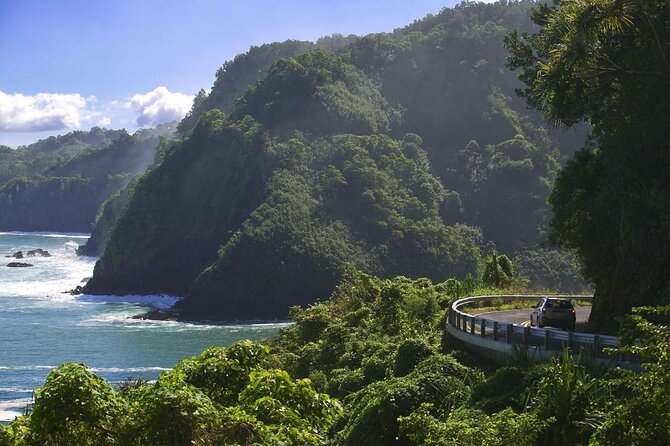
- Location-based audio that cues you before you reach key spots
- Offline use once the tour is downloaded to your phone
- One purchase per vehicle/group (up to 8) to keep costs down
- A stop-by-stop mix of beaches, waterfalls, trees, lava, and hikes
- Optional flexibility via suggested itineraries or building your own route
- Practical alerts about what not to do (like swimming where it’s unsafe)
Road to Hana works best with self-guided GPS narration
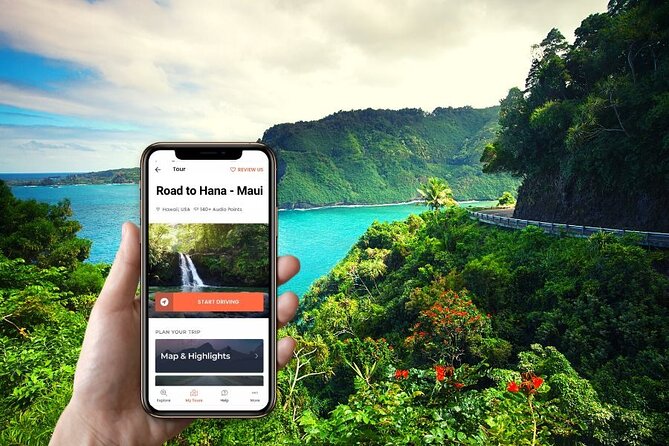
Road to Hana has a way of eating your day. One moment you’re “just driving,” and the next you’re juggling parking, potholes, signs, and which viewpoint you actually came for. This GPS audio format makes the drive feel less chaotic because it tells you what’s coming up right when you’re in the right spot.
I also like that the tour doesn’t force you into a rigid schedule. You can stop, start, and resume at your leisure, then skip stops if your interests or energy level shift. That matters because Road to Hana is not one-size-fits-all: some people want plants and tide pools, others want waterfalls and a hike.
Finally, it’s built for the annoying parts of Maui travel, like dead zones for service. Since audio can play without cell data after download, you don’t have to choose between staying offline and missing the next story or turnout.
You can also read our reviews of more guided tours in Maui



Price and what you truly get for $19.99 per group
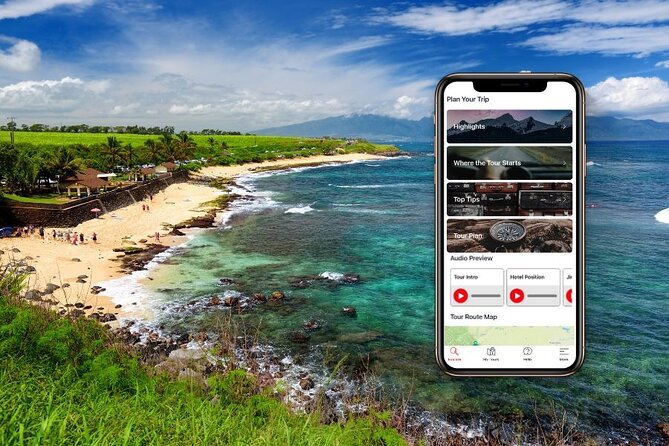
The cost is simple: $19.99 per group for up to 8 people. That’s the biggest value lever here. Instead of paying per person for a bus-style outing, you’re paying once for the car.
What you should also know about value: it’s not a pay-for-everything tour. Some stops have separate costs like national park passes or reservations, and those are on you. Admission tickets for several sights are listed as not included, so you’ll want to budget for the big-ticket items you plan to enter.
In return, you get:
- 140 location points of audio guidance
- Step-by-step driving help tied to where you are
- Stories and local tips timed to the route
- Enough structure to avoid missing the popular moments, without locking you into someone else’s priorities
If you’re already planning to drive the Road to Hana anyway, this is the kind of add-on that makes your time feel more intentional.
Offline by design: how the GuideAlong app keeps you on track
This runs through the GuideAlong (GyPSy Guide) app. After booking, you get instructions by email and text to redeem a voucher code. Then you download the tour inside the app under My Tours. You can also preview your start location, tour route, and trip planner.
Here’s the practical part you’ll care about: once the tour is downloaded, the audio plays using your phone’s GPS chip. That means you don’t need to keep searching for signal to make the guidance work.
Two tips that make this smoother:
- Charge your phone first and bring a USB or car charger. You’ll likely use navigation too, and audio eats battery faster than you expect.
- Download over WiFi if you can. The tour is designed for offline use, but the download is still the one moment you want reliable internet.
One more thing: because commentary is location-based, you don’t need to start only at the official start point. The tour is designed so you can start and end along the route based on where you want to begin your day.
Planning your Hana day: timing, safety, and reservations
The drive is long. Expect around 8 to 16 hours, depending on how many stops you make and how long you linger. If you’re trying to fit it into a tight schedule, you’ll end up picking just a handful of highlights.
Start early. A recurring piece of good advice from people who’ve done it: leave around 8 AM or earlier so you’re not doing the worst part of the drive in the dark. The Road to Hana is full of twists and one-lane bridges, and you want clear visibility when fatigue starts to creep in.
Now for the planning gotchas:
- Waiʻānapanapa State Park has reservations required for entry, and it’s a must-stop for most people.
- Pipiwai Trail is inside Haleakala National Park, so you’ll need an NPS pass (or purchase one on arrival).
Also note safety realities at the water stops. Some beaches are not recommended for swimming due to wind and currents, and some have no lifeguards. The tour’s value is that it flags what’s important so you’re not guessing after you park.
If there’s any active Hawaii emergency messaging (like earthquake-related tsunami warnings), check real-time updates at tsunami.gov. It’s rare, but you should still have that habit on Maui.
From Hana Highway to Waiʻānapanapa: the stop-by-stop route
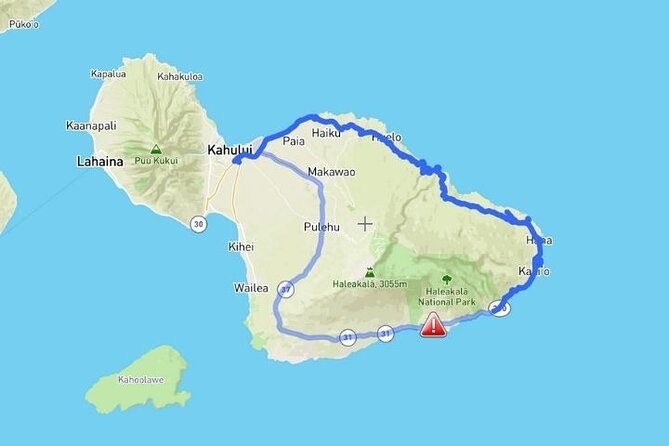
You’ll get step-by-step cues for major turnoffs and viewpoints. The timing estimates below are useful for planning, but your actual time will depend on parking lines, trail conditions, and how long you want at each place.
You can also read our reviews of more tours and experiences in Maui






Stop 1: Hana Highway (Road to Hana driving route)
The tour starts by guiding you along the Hana corridor. Audio plays automatically based on GPS location, so you’re not stuck waiting for a group leader to arrive with a microphone. The payoff is simple: you get a running plan as you drive.
You can also build a custom day. The app includes trip planners for half-day, full-day, or multi-day options, but the core idea is that you control the pace. For busy days, I like having a plan you can improvise instead of a plan that punishes you.
Stop 2: Keʻanae Arboretum
This is an easy win: a no-cost stop that typically takes under 30 minutes if you’re just here for photos and a quick walk. Expect tropical plants and trees, including golden-stemmed bamboo, ginger, papaya, and hibiscus.
The star is the Rainbow Eucalyptus, with bright bark that looks almost unreal in bright Maui sun. Keep walking if you want more than snapshots. The trail follows Piinaau Stream and connects to terraces from ancient Hawaiian taro cultivation, so you’ll see nature and history in the same loop.
Downside: if you’re hiking-heavy that day, this stop can feel short. But it’s a great reset before the bigger drives and hikes.
Stop 3: Hana Lava Tube
If you like geology, this stop has fun energy. The Hana Lava Tube is described as Maui’s most accessible lava tube, and you can go inside without committing to the deepest sections if you’re not into tight spaces.
This is one of those Road to Hana stops that can feel like an adventure movie set—cool, dark, and totally different from the outdoor jungle vibes. Just remember that temperatures inside can feel cooler and damp. Wear footwear that you’re comfortable with in uneven ground.
Stop 4: Hoʻokipa (viewpoint and windsurfer watching)
Hoʻokipa is mostly about the view and the energy. It’s not recommended for swimming due to constant winds and currents. Instead, you come to watch world-class windsurfers and chill.
There’s also a good chance you’ll spot turtles resting on the beach. One helpful reminder: turtles can sleep in the water too, and you should give them space and never touch.
Practical perks: washrooms, showers, and some picnic areas are available, which makes this a good early-lunch or rest stop.
Stop 5: Keʻanae Point
Keʻanae Point juts into the ocean on a flat peninsula formed by volcanic lava from Haleakala. This is an excellent photo stop with less of the chaos you get at some other busy turnouts.
There’s also a small church made from coral and lava rock, built more than a century and a half ago. If you want a quick cultural stop without committing to a long visit, this fits.
You can also watch waves hit rocky outcrops and, depending on what’s available along the shore, you might find coconuts. Don’t count on it like a promise, but it’s a common sign of this area’s coastline.
Stop 6: Twin Falls Maui
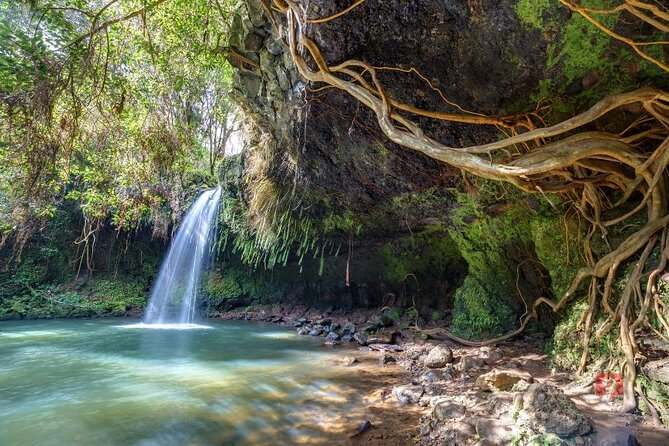
Twin Falls is usually one of the first places where you’ll want to get out and walk. You’ll head along a trail about 1.5 miles with bamboo forest sections.
The key practical note: the trail is frequently muddy, so wear appropriate footwear. The tour also notes you can choose how far you go. You don’t have to force a big hike if you want to keep the rest of your day flexible.
If you want a treat after, there’s a farmstand that’s a great place for a morning tropical fruit smoothie.
Stop 7: Upper Waikani Falls (3 Bears Falls)
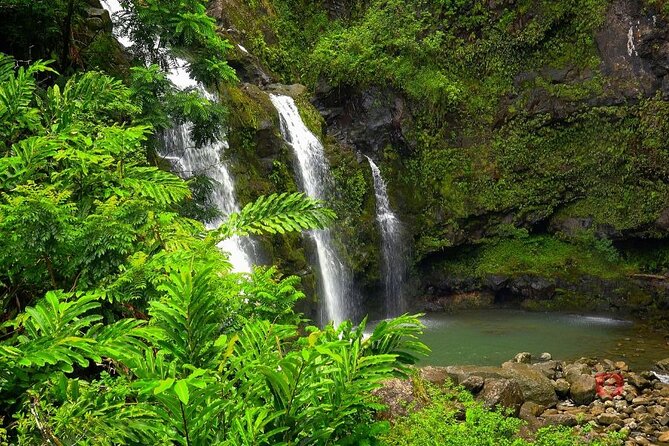
Upper Waikani Falls gets its nickname from how the water flows. After heavy rain, it can pour like one thick stream (one big bear). With less water, it splits into three falls—one large, one medium, one small (three bears).
This means the stop changes day to day. If you’re visiting during a dry stretch, don’t expect the same look you’d see after a storm. The upside is that the interpretation makes it more fun: you’re not just looking at water, you’re watching the mountain’s mood.
Plan for a quick visit—about 20 minutes is usually enough unless you’re taking your time on photos.
Stop 8: Koki Beach (Pele and Maui legends + Alau Island view)
This stop is paired with the same turnoff that leads to Hamoa Beach. Koki Beach gives you ocean views plus a quirky landmark: Alau Island, an ex-cindercone about a quarter mile offshore.
What adds flavor is the legend tie-in. The area is steeped in Hawaiian stories connected to Pele, the goddess of volcanoes, and the demigod Maui. If you like understanding what you’re seeing beyond the photo angle, this is worth the quick stop.
Stop 9: Hamoa Beach
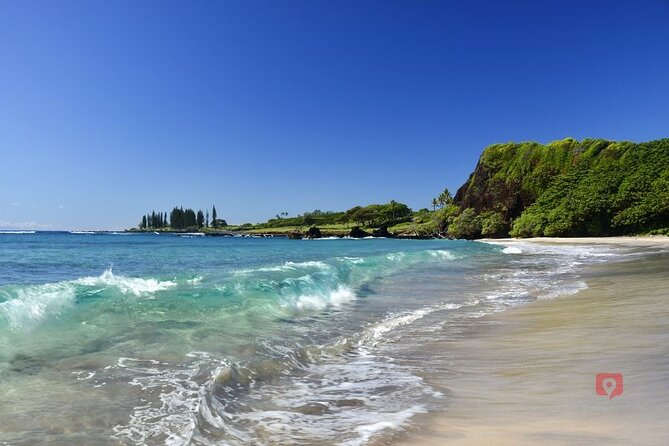
Hamoa Beach is a small crescent of sand that’s timed well for a mid-drive stretch-and-rest moment. It’s described as family friendly when conditions are calm, with public bathrooms and showers available.
But the tour also flags the important safety piece: there are no lifeguards. Keep a close eye on kids, and follow beach conditions rather than hope.
This stop works best when you want a relaxed pause without needing a long walk or complicated entry.
Stop 10: Waiʻānapanapa State Park (black sand beach + sea arch and blowhole)
This is a big one. Waiʻānapanapa State Park is home to Maui’s famous black sand beach and several volcanic coastal features.
You’ll want to follow signs along the beach area to find things like the sea arch off shore and the blowhole. It’s also deeply tied to Hawaiian legend, which gives the stop more meaning than just a shoreline selfie.
One crucial planning item: reservations are required for entry. If you show up without a plan, you’ll waste time and may lose the chance to get in. Build your day around this reservation so the rest of the drive stays stress-free.
Plan for around two hours if you want enough time to explore beyond the main beach photo spot.
Stop 11: Pipiwai Trail (Oheo Gulch in Haleakalā National Park)
If you want a true nature payoff, this is where many people spend real time. Pipiwai Trail sits in the Oheo Gulch area of Kipahulu at the end of the drive and is inside Haleakalā National Park.
Expect a 4-mile loop with about 650 feet of elevation gain. It’s described as moderate, but if it’s hot, it can feel harder. You’ll likely spend 2+ hours depending on fitness, pace, and how many photos you want.
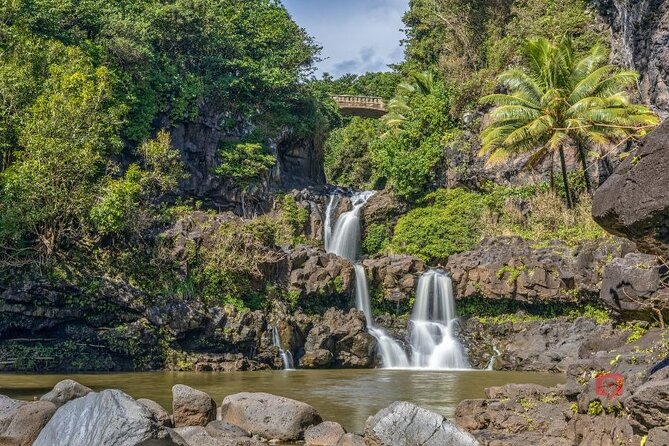
Along the way, you’ll be rewarded with views of Makihiku Falls. Many people continue to Waimoku Falls, which is described as the highlight and the furthermost point. Bamboo forest sections are especially peaceful, so even if you shorten the hike, the atmosphere still delivers.
Two practical pass notes:
- You’ll need an NPS pass for entry into Haleakalā National Park.
- You can show a pass or purchase one on arrival.
A smart timing tip: if you’re aiming to hike and still drive back comfortably, arriving at the trail by around 2 PM gives you time to hike and head home.
Who this Road to Hana audio tour suits best
This works best if you fit one of these profiles:
- You want maximum flexibility. Want a longer beach break or a shorter hike? The app lets you choose.
- You’re budget-minded and driving anyway. At $19.99 per group up to 8, the value is strongest when more than one person is in the vehicle.
- You don’t want to gamble with cell service. Offline playback is a big deal on Maui.
- You like context, not just directions. The narration focuses on stories, local tips, and what you should notice at each stop.
It might be less ideal if:
- You want a fully handled tour with people managing parking and timing. This is self-guided, so you’re still the driver and planner.
- You hate tech setup. Most downloads are easy, but you’ll want to allow time to redeem and download the tour before you hit the road.
Should you book this Road to Hana audio tour?
Yes, book it if you’re planning to drive the Road to Hana and you want to make your day feel smarter. The GPS-guided audio helps you avoid missing key turnoffs, and it keeps the drive entertaining without chaining you to a group schedule.
Before you buy, do two things:
- Check your plan for Waiʻānapanapa reservations and your Haleakalā pass needs for Pipiwai Trail.
- Decide whether you want a full Hana day or a shortened highlight loop. The best experience comes when you match stops to your daylight and energy.
If you do that, this audio tour can be the difference between a long drive and a day that feels intentionally planned.
FAQ
How much does the self-guided Road to Hana audio driving tour cost?
It costs $19.99 per group, up to 8 people.
How long is the Road to Hana driving tour?
The tour duration is about 8 to 16 hours, depending on how many stops you make.
Is the tour offered in English?
Yes, it is available in English.
Does the audio tour work without cell service?
Yes. You can download the tour ahead of time, and once downloaded, the audio can play offline.
Are admission tickets included?
No. The tour lists that some stops have admission tickets not included, while others are free.
Does Waiʻānapanapa State Park require reservations?
Yes. Reservations are required for entry at Waiʻānapanapa State Park.
Do I need a pass for the Pipiwai Trail?
Yes. Since the trail is inside Haleakalā National Park, you need an NPS pass or you can purchase one on arrival.
Can I start and end the tour anywhere along the Road to Hana?
Yes. Commentary plays automatically based on your GPS location, so you have flexibility to start and end along the route.
Can I skip stops or change my plan?
Yes. You control the pace, and you can start, stop, and resume. You can also skip stops and use suggested itineraries or create your own.
Is free cancellation available?
Yes. You can cancel up to 24 hours in advance for a full refund. If you cancel within 24 hours, it is not refunded.